Software that explains itself
Notes on naming, structure, and feedback that make systems easier to understand and maintain.

Good Documentation Starts Before the First Paragraph
The best documentation does not begin in a README, a wiki, or a carefully written architecture document.
It begins much earlier.
It begins in the structure of the system itself: the names we choose, the boundaries we create, the way decisions are expressed, and the feedback the software gives when something goes wrong.
A well-designed codebase explains itself before a developer reads a single paragraph of supporting documentation. Its intent is visible. Its responsibilities are understandable. Its failures point toward useful next steps.
Documentation still matters, but it should clarify a system rather than compensate for one that is unnecessarily difficult to understand.
Names are tiny interfaces
Every name in a codebase is an interface between the person who wrote the code and the person who will read it later.
That reader may be another developer.
It may be you six months from now.
A variable such as this works:
const valid =
  article.status === "reviewed" &&
  author.isActive;
But valid does not tell us much.
Valid for what?
Publishing? Editing? Archiving? Displaying publicly?
A slightly better name removes that uncertainty.
const canPublish =
  article.status === "reviewed" &&
  author.isActive;
Now the condition has a meaning.
The reader no longer needs to interpret the boolean expression every time it appears. The name carries the business decision.
This becomes even more valuable when conditions grow.
const canPublish =
  article.status === "reviewed" &&
  author.isActive &&
  !article.isScheduled &&
  article.wordCount >= MINIMUM_ARTICLE_LENGTH;
Without the name, every developer encountering this expression has to reconstruct its purpose from the individual checks.
With canPublish, the implementation becomes secondary to the intent.
That distinction matters.
Good naming reduces the amount of information a developer must keep in working memory. Instead of remembering four conditions, they remember one concept:
This determines whether the article can be published.
That is documentation embedded directly into the system.
Name the decision, not the mechanism
Implementation-focused names tend to explain *how* something happens.
Intent-focused names explain *why it exists*.
Compare:
const filteredUsers = users.filter(
  user => user.status === "active"
);
with:
const notificationRecipients = users.filter(
  user => user.status === "active"
);
Both may produce the same array.
But the second name gives the reader additional context. We immediately understand why these users are being selected.
The closer names are to the language of the domain, the less translation developers have to perform in their heads.
This applies to functions too.
processData();
is technically a name.
But it communicates almost nothing.
calculateMonthlyRevenue();
or
publishScheduledArticles();
reveals the purpose of the operation immediately.
Good names do not eliminate the need for documentation. They make documentation cheaper because fewer basic questions need to be explained elsewhere.
Comments should explain what code cannot
Poor naming often creates pressure to add comments.
// Check whether user can publish
if (
  article.status === "reviewed" &&
  author.isActive
) {
  publish(article);
}
The comment is useful, but the same information can often live more effectively in the code itself.
const canPublish =
  article.status === "reviewed" &&
  author.isActive;

if (canPublish) {
  publish(article);
}
Comments are most valuable when they explain something the code cannot easily express.
For example:
// Articles remain editable for 10 minutes after publishing
// because the editorial team frequently corrects formatting
// immediately after release.
const EDITING_GRACE_PERIOD = 10 * MINUTE;
The code can tell us that the grace period is ten minutes.
Only the comment can explain why that strange rule exists.
That difference is important.
Code should usually explain what the system is doing.
Documentation and comments should explain why the system behaves that way.
Keep decisions near their reasons
Architecture becomes difficult when rules are separated from the context that gives them meaning.
Imagine an article publishing workflow spread across several technical layers:
controllers/
services/
validators/
repositories/
helpers/
This organization may look clean because everything is grouped by technical type.
But implementing a single feature may require jumping through five directories.
The publishing rule might live in a validator.
The permission check might live in a service.
The scheduling logic might live in a helper.
The database operation might live in a repository.
The architecture is technically organized, yet understanding one business capability requires reconstructing it from scattered pieces.
A different structure might keep related decisions closer together.
articles/
  publishing/
    can-publish.ts
    publish-article.ts
    schedule-publication.ts
    publication-errors.ts
Now the organization reflects the capability the software provides.
When publication rules change, developers know where to look.
This is sometimes more valuable than strict separation by technical category.
Organize around change
A useful architectural question is:
Which pieces of code usually change together?
If changing one business rule repeatedly requires editing five unrelated modules, the boundaries may not match the real structure of the problem.
Good boundaries reduce the distance between:
- a decision,
- the data it depends on,
- the code enforcing it,
- and the explanation for why it exists.
This does not mean everything should live in one file.
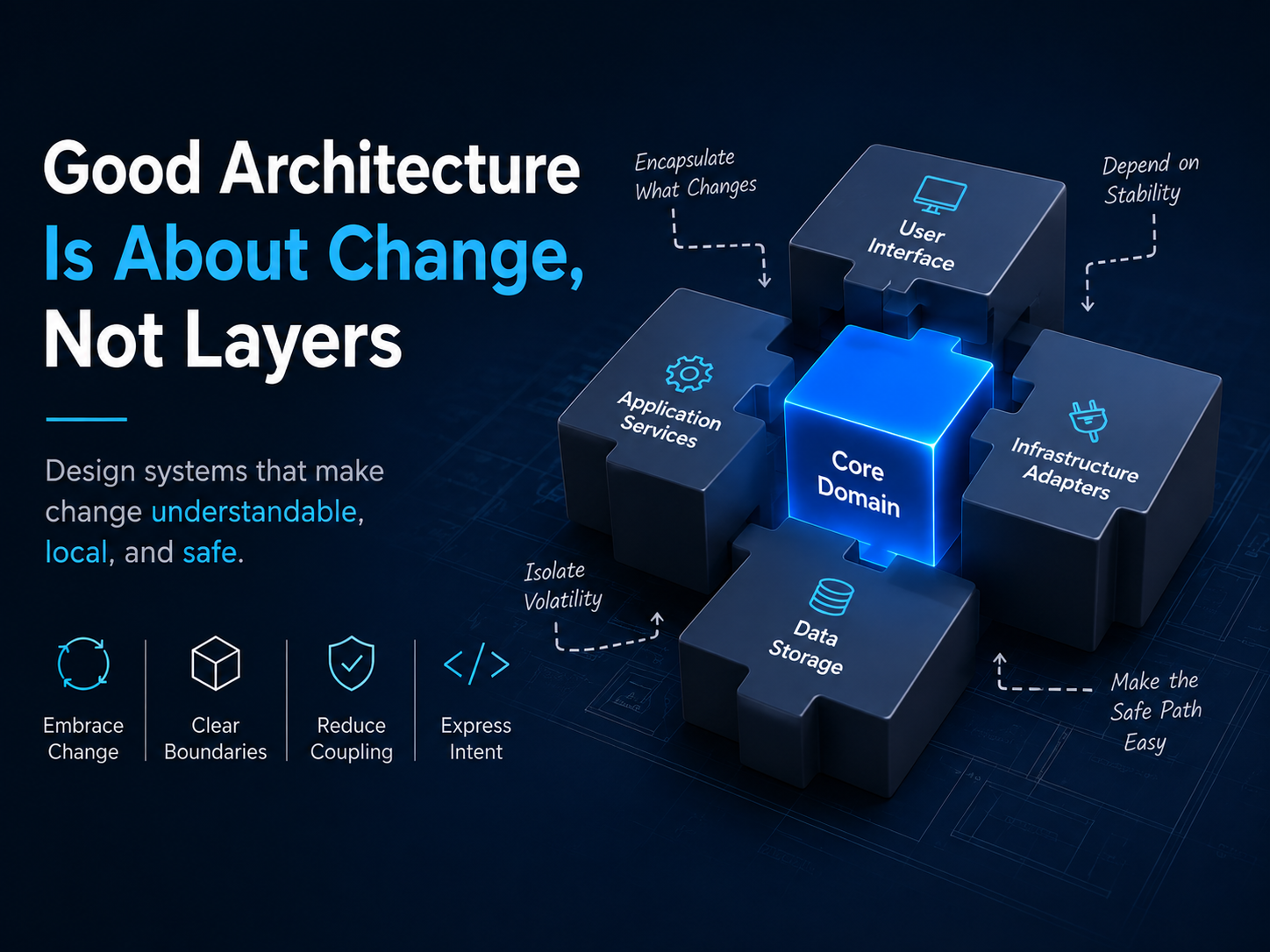
It means the architecture should follow meaningful responsibilities rather than arbitrary layers.
Boundaries are documentation
Module boundaries silently communicate how the system is supposed to be understood.
Consider:
billing/
authentication/
articles/
notifications/
analytics/
Even without reading the implementation, a developer can already form a rough mental model of the system.
Compare that with:
managers/
processors/
helpers/
utils/
services/
misc/
The second structure may contain perfectly working code, but its architecture communicates very little.
Names such as utils and helpers describe implementation convenience rather than business responsibility.
Over time, these folders often become containers for unrelated logic.
A strong module should answer a simple question:
What responsibility does this part of the system own?
If that question is difficult to answer, the boundary may be too vague.
A useful test is the classic principle of having *one reason to change*.
Not necessarily one function.
Not necessarily one class.
But one meaningful responsibility.
For example, a notification module might own:
- selecting recipients,
- building notification payloads,
- choosing delivery channels,
- tracking delivery state.
Those tasks are different, but they belong to the same larger capability.
Make important states explicit
Systems become difficult to understand when meaningful states are represented indirectly.
Consider:
if (
  article.status === 2 &&
  article.visibility === 1
) {
  // ...
}
Even if those values are documented somewhere, the reader has to remember what 2 and 1 mean.
Compare that with:
if (
  article.status === "reviewed" &&
  article.visibility === "public"
) {
  // ...
}
The system becomes easier to inspect without external references.
This principle also applies to workflows.
Instead of representing an article lifecycle through combinations of booleans:
{
  isDraft: false,
  isReviewed: true,
  isPublished: false
}
consider representing the state directly:
{
  status: "reviewed"
}
The second model prevents impossible combinations such as:
{
  isDraft: true,
  isPublished: true
}
Good models do more than store information.
They explain which states the system considers legitimate.
Make invalid states difficult to represent
One of the strongest forms of documentation is a system that prevents developers from expressing something that should never happen.
For example:
type ArticleStatus =
  | "draft"
  | "review"
  | "reviewed"
  | "published"
  | "archived";
Now the allowed states are visible directly in the type system.
We can go further.
type DraftArticle = {
  status: "draft";
  publishedAt: null;
};

type PublishedArticle = {
  status: "published";
  publishedAt: Date;
};

type Article =
  | DraftArticle
  | PublishedArticle;
The model now teaches an important rule:
A published article must have a publication date.
A draft article cannot have one.
Instead of documenting this rule and hoping every developer remembers it, the structure of the program helps enforce it.
Documentation becomes strongest when the system and the explanation agree.
Feedback is part of the architecture
Developers learn a system through feedback.
They run commands.
They submit forms.
They call APIs.
They trigger builds.
They deploy code.
When something fails, the error message becomes temporary documentation for the current problem.
Compare:
Error: validation failed.
with:
Article cannot be published because it has not completed editorial review.
Current status: draft.
Next action: submit the article for review.
The first message reports failure.
The second message helps resolve it.
That difference saves time repeatedly.
A useful error should answer three questions:
- What happened?
- What remains safe or unchanged?
- What should I do next?
For example:
Image upload failed because the file is larger than the 5 MB limit.

No existing image was replaced.

Compress the image or upload a file smaller than 5 MB.
This message removes uncertainty.
The user knows the cause.
They know their existing data is safe.
They know the next action.
Errors should teach the system
Good errors do more than solve individual incidents. They slowly teach users and developers how the system works.
Consider an API response:
{
  "error": "ARTICLE_NOT_REVIEWED",
  "message": "The article must complete editorial review before publication.",
  "currentStatus": "draft",
  "requiredStatus": "reviewed"
}
A developer integrating with this API can understand the workflow directly from the response.
The API is documenting its own rules through behavior.
The same idea applies to command-line tools.
Instead of:
Invalid command.
use:
Unknown command: deploy-prod

Did you mean:

  deploy production
Small improvements like this dramatically reduce the amount of knowledge users must obtain from external documentation.
Good defaults are silent documentation
Defaults also communicate how a system expects to be used.
Imagine a content platform where every newly created article begins as:
status: "draft"
That default tells us something about the workflow.
Content is expected to be reviewed before becoming public.
A system that requires users to repeatedly configure obvious safe values creates unnecessary cognitive load.
Good defaults guide behavior without requiring explanation.
Examples include:
- creating content as drafts rather than publishing immediately,
- generating secure identifiers automatically,
- using safe permission levels by default,
- enabling validation automatically,
- selecting sensible retry limits,
- refusing destructive actions unless explicitly requested.
The less configuration required for the normal safe path, the easier the system is to understand.
APIs should read like conversations
A good interface should make its purpose obvious at the point of use.
Compare:
articleService.execute(article, true, false);
with:
articlePublisher.publish(article, {
  notifySubscribers: true,
  updateSearchIndex: false
});
The first version forces the reader to remember what the boolean arguments mean.
The second explains itself.
This is especially important for APIs used throughout a large codebase.
A poorly designed interface creates small moments of confusion everywhere it is used.
A good interface pays for its design effort repeatedly.
Tests are executable explanations
Tests are often described only as tools for preventing regressions.
But good tests also explain behavior.
Consider:
it("prevents publication when the author account is inactive", () => {
  // ...
});
That test name documents a business rule.
A new developer can scan the test suite and learn:
* reviewed articles may be published, * inactive authors cannot publish, * scheduled articles publish at a later time, * archived articles cannot return directly to draft.
Unlike traditional documentation, tests can be executed.
If the behavior changes without the test changing, the test fails.
That makes tests one of the few forms of documentation capable of detecting when they have become incorrect.
Observability is documentation for running systems
Documentation is not only about understanding source code.
Production systems have their own behavior.
Logs, metrics, traces, dashboards, and alerts explain what the software is doing after deployment.
A weak log looks like this:
Request failed.
A useful one might include:
Article publication failed
article_id=1842
author_id=88
reason=author_inactive
request_id=89cf3a
Now the system leaves evidence.
When something goes wrong, developers can investigate the actual behavior rather than guessing from source code.
Well-designed observability reduces the gap between:
what we think the system does
and
what the system actually did.
Documentation should capture decisions, not obvious syntax
Traditional documentation is still necessary.
But it provides the most value when it captures information that cannot be reconstructed easily from the code.
Document things such as:
- why a technology was chosen,
- why a constraint exists,
- what alternatives were rejected,
- which trade-offs were accepted,
- how ownership is divided,
- what assumptions the system depends on,
- how data flows between major components,
- what recovery procedure should be followed when something fails.
Avoid spending large amounts of documentation explaining things the code already makes obvious.
For example:
The publishArticle() function publishes an article.That adds almost nothing.
More valuable documentation would explain:
Articles are published through the asynchronous publication queue because image processing and search indexing can take several seconds. Publishing directly inside the HTTP request previously caused timeout failures during traffic spikes.
Now the reader understands an architectural decision.
That knowledge cannot easily be recovered from a function name alone.
Documentation has multiple layers
A healthy system usually communicates through several layers at once.
| Signal | Helpful question | | ------------ | ----------------------------------------------------- | | Naming | Can a new contributor predict what this does? | | Types | Are important states and constraints visible? | | Boundaries | Does this module have a clear responsibility? | | APIs | Can the interface be understood at the call site? | | Tests | Are important rules expressed as observable behavior? | | Errors | Will failure explain the next useful action? | | Logs | Can we understand what happened in production? | | Written docs | Do we preserve decisions the code cannot explain? |
No single layer is enough.
Names cannot explain historical trade-offs.
Architecture diagrams cannot guarantee correct behavior.
Tests cannot explain every operational procedure.
Error messages cannot describe the entire system.
The goal is not to replace documentation.
The goal is to make the entire system participate in documentation.
Complexity has to live somewhere
Software cannot eliminate complexity.
A publishing platform still has permissions.
An e-commerce system still has payments, inventory, refunds, shipping, taxes, and failures.
A distributed system still has networks, latency, retries, partial failures, and consistency problems.
The question is not whether complexity exists.
The question is:
Who is forced to carry it?
A poorly designed system pushes complexity onto every developer who touches it.
They memorize strange conventions.
They remember undocumented dependencies.
They know which functions must be called in a particular order.
They learn which error messages can safely be ignored.
They accumulate knowledge that exists nowhere except inside individual people's heads.
A better system moves more of that complexity into:
- clear names,
- explicit states,
- strong boundaries,
- safer defaults,
- expressive interfaces,
- automated validation,
- meaningful tests,
- actionable feedback.
The underlying problem may remain complex.
But the people working with the system no longer have to rediscover that complexity every time.
The system itself should be the first document
Good documentation is not a layer added after engineering is finished.
It is a property of the engineering itself.
Before writing another page of documentation, it is worth asking:
- Can the names become clearer?
- Can the business rule become explicit?
- Can related decisions move closer together?
- Can the type system describe the valid states?
- Can an API explain itself at the call site?
- Can a test capture this expectation?
- Can an error message teach the next step?
- Can the architecture reveal where a future change belongs?
Sometimes another paragraph of documentation is exactly what is needed.
But sometimes the better solution is changing the system so the paragraph becomes unnecessary.
The strongest systems do not require developers to memorize everything.
They reveal their intent gradually through structure, language, constraints, and feedback.
Software cannot eliminate complexity.
But it can decide where that complexity is carried.
Good systems carry more of it for us.